
Pocket City
Codebrew GamesSimulation
4.32.36K Reviews
- Version
- 1.1.451
- Installs
- 1.00M
- Age Rating
- Everyone
Screenshots

Our Review of Pocket City
 Analysis by Appyee
I tend to enjoy city builders most when they let me make small decisions at my own pace, rather than demanding that I manage a complicated simulation every time I open a game. Pocket City is a paid city-building simulation from Codebrew Games, and its approachable style makes it easy to pick up when I have a little free time. It costs $2.99, is rated Everyone, and has a 4.3 average from around 17,000 ratings. That gives a prospective mayor a useful sense of its broad appeal, but the more important question is whether its particular mix of planning and light management suits you.
With over one million installs, it has clearly found an audience among mobile players who like shaping a place of their own. I would look at it as a relaxed alternative to more demanding management games, not as a detailed replica of running a real city. That distinction matters: the fun is in watching a plan take shape and responding when the city needs attention, rather than mastering a maze of menus.
Building Your Dream City
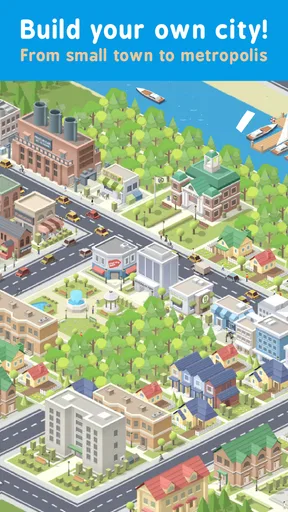
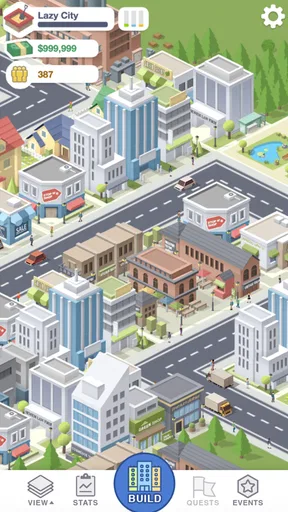
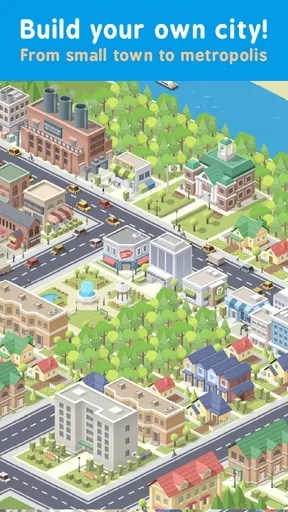
The first thing you'll notice about Pocket City is how easy it is to get started. The game has a simple, intuitive interface that won’t overwhelm you with options. It eases you into the world of city planning with a handy tutorial that guides you through placing your first roads and buildings. This is perfect for those of us who might be new to city-building games.
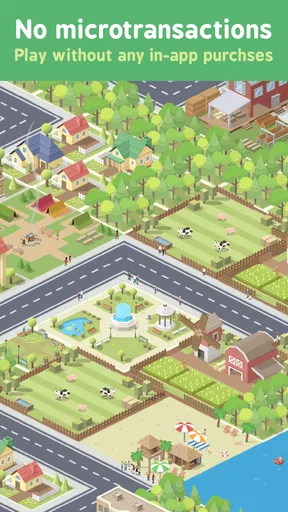
Once you’ve got the basics down, you’re free to let your creativity run wild. You can zone areas for residential, commercial, and industrial purposes, ensuring your city has a balanced economy. The game also lets you build parks and recreational areas to keep your citizens happy. And trust me, keeping those little digital people content is a big part of the challenge!
Managing Resources and Growth
As your city grows, so do the challenges. You'll need to manage resources like electricity and water, and ensure there are enough services like police and fire stations to keep everything running smoothly. It’s a delicate balancing act that keeps you on your toes. If you're not careful, you might find yourself scrambling to deal with sudden power outages or an unexpected crime wave.
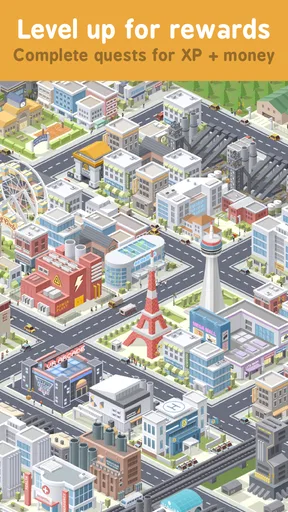
The game does a great job of simulating the ups and downs of running a city. One moment, you might be celebrating a new skyscraper, and the next, you’re dealing with a natural disaster. Yep, disasters are a thing in Pocket City. They add a fun twist and keep things interesting, making sure you never get too comfortable.
Visuals and Customization
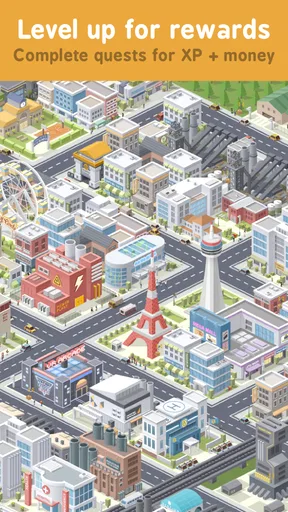
Visually, Pocket City is charming with its colorful, cartoonish graphics. It’s not about hyper-realistic visuals here, but a more playful approach that suits the mobile gaming environment perfectly. The city evolves visually as it grows, and it’s satisfying to watch your small town transform into a sprawling urban landscape.
Customization options are plentiful, allowing you to put your personal stamp on your city. From the layout of the roads to the style of buildings, there’s plenty of room for creativity. Plus, the game runs smoothly on both Android and iOS, so you won’t have to worry about lag or crashes as you expand your city.
The Social Aspect
One of the cool features of Pocket City is the ability to compare your city with those of your friends. You can share screenshots of your metropolis and even visit other players’ cities to get inspiration. It adds a social element that makes the game even more engaging. Who doesn’t love a little friendly competition?
If you're into leaderboards, Pocket City has that too. You can see how your city ranks in various categories, pushing you to optimize and make your city the best it can be. It's a neat addition that adds a competitive edge to the game.
Planning Without Getting Stuck
The main friction in a city builder often appears after the tutorial: a layout that looked sensible at first can become awkward once new homes, services, and utilities have to fit around it. I find it useful to treat the early town as a flexible draft rather than a finished design. Leave room around the first neighborhoods and avoid spreading every zone as far as possible immediately. A compact start makes it easier to see what is working before you commit more of the map to it.
When a problem appears, I would check the city in a deliberate order instead of adding buildings at random. First look at what residents seem to need, then check whether the relevant service or utility can reach the area, and only then expand or rearrange. This is a practical way to avoid turning one local problem into several new ones. It also makes the game feel less like guesswork, especially when several parts of the city are growing at once.
Road placement deserves the same patience. A road is not just decoration: it shapes where neighborhoods can develop and how the city reads visually. I like to decide where a main route should go before filling the surrounding space with zones. That small pause can save you from building a patchwork that is harder to understand later. If you enjoy drawing tidy grids, you can lean into that; if you prefer a less rigid city, leave irregular spaces for parks and other open areas.
A Useful Rhythm for Short Sessions
This is a good fit for the familiar mobile routine of opening a game during a break, making a few thoughtful changes, and putting it away again. For example, after dinner I might check whether the newest residential area has enough support, add a road or service where it makes sense, and then spend the remaining time improving the city’s look. That feels more satisfying than trying to overhaul the whole map in one sitting.
There is also a useful trade-off between expansion and repair. A larger city looks impressive, but each new area gives you more to consider when balancing utilities, services, and resident needs. If progress starts to feel messy, pause the outward push and improve what already exists. In my view, this is one of the better ways to keep a casual builder enjoyable: growth is not the only sign that a session went well.
The game’s light presentation helps with that rhythm. Its colorful, cartoon-like look makes it easy to scan the city without expecting the visual density of a serious desktop simulator. That simplicity is a strength on a phone, although players who want intricate traffic analysis, highly realistic infrastructure, or a long list of technical controls may find the experience too streamlined. It offers approachable planning rather than exhaustive urban engineering.
Choosing It Over Other City Builders
Compared with the usual mobile city-building options, this one appeals to me most when I want to focus on the map itself and the basic responsibilities of a mayor. The mix of zoning, utilities, public services, parks, and occasional disasters gives each city a recognizable management loop. It is more involved than a purely decorative building toy, yet easier to approach than a simulation whose appeal depends on learning many layers of detailed systems.
That balance will not suit everyone. If you mainly want a city to decorate without dealing with services or disruptions, the management demands may feel like an interruption. If you want a deep, realism-first challenge, its friendly style may feel too gentle. I would choose it for a relaxed blend of planning and problem-solving, especially when I want a game that can be enjoyed in short visits rather than a project that needs a long, uninterrupted session.
There is a social angle as well: comparing cities, sharing screenshots, and visiting other players’ creations can give you ideas beyond your own layout. I would treat that as inspiration rather than a requirement. You can enjoy shaping a city on your own, while the competitive side is there for players who like seeing how their choices measure up. If leaderboards make a game feel stressful rather than motivating, they need not be the reason you play.
When a Problem May Be Elsewhere
If the game feels slow to start or a session is interrupted, I would first make a few ordinary checks rather than assume the city itself is broken. Confirm that the device meets the minimum Android requirement of version 5.0, close other demanding apps if the phone is struggling, and reopen the game. Keeping the installed app current can also be a sensible first step; the current version is 1.1.451. These are general checks, not a promise that every issue has the same cause.
It also helps to separate a gameplay setback from a technical one. A neighborhood that lacks support is usually a planning question, while an app that closes or refuses to launch points to the device or installation instead. If something goes wrong while you are rearranging the city, pause and inspect the layout before making several changes at once. If the game itself is misbehaving, restart it and check the device before rebuilding your plan around an assumption.
Because city builders invite tinkering, I recommend changing one thing at a time when you are trying to work out why an area is unhappy or inconvenient. If you alter roads, zones, and services all together, it becomes harder to tell which decision helped. That simple habit makes the experience more manageable and gives you a clearer feel for the cause-and-effect that the game is built around.
Final Thoughts
All in all, Pocket City is a delightful city-building game that offers depth without overwhelming the player. It’s the perfect mix of strategy and creativity, wrapped in a user-friendly package. Whether you’re a seasoned city planner or a newbie looking for a casual gaming experience, Pocket City has something for everyone.
So, if you’re ready to put on your mayor's hat and build the city of your dreams, give Pocket City a try. It’s a pocket-sized adventure that fits right in your phone, and who knows, you might just get hooked on the fun of city building.
Happy building!
My recommendation is strongest for someone who enjoys making a place feel coherent, then solving manageable problems as it grows. The one-time price makes it a straightforward purchase decision rather than a commitment to a free game’s ongoing routine, but I would still consider what kind of city builder you actually want before buying. If you like gradual planning, a friendly look, and the occasional disruption to respond to, it is an appealing fit. If you want either a purely decorative sandbox or a highly technical simulator, another style of game will probably suit you better.
Verdict
Strengths of Pocket City
- Intuitive and user-friendly interface.
- Offline mode available for gameplay.
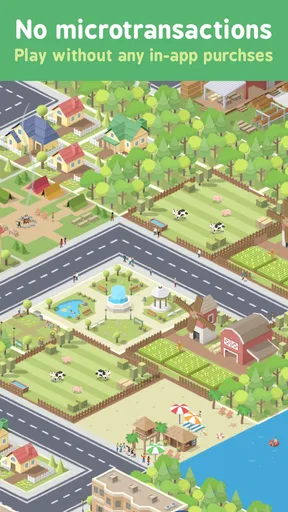
- No in-app purchases or ads.
- Rich variety of buildings and upgrades.
- Engaging and dynamic city events.
Limitations of Pocket City
- Limited customization options.
- Graphics may not suit all preferences.
- Lack of multiplayer features.
- Gameplay can become repetitive.
- Updates are infrequent.
Other Releases by Codebrew Games
View All
Pocket City 2
Simulation4.5
Similar Picks in This Category
View All
Truckers of Europe 3
Wanda Software4.3

Town Building Life Simulator
XGame Global4.2

Fidget Toys Trading・Pop It 3D
Freeplay Inc4.7

Sculpt People
CrazyLabs LTD4.4

Scary Teacher 3D
Z & K Games4.2

Hair Tattoo: Barber Shop Game
CASUAL AZUR GAMES4.3
Frequently Asked Questions
What is Pocket City, and what makes it unique compared to other city-building games?
Pocket City is a city-building simulation game available on both Android and iOS platforms. Unlike many other games in the genre, Pocket City offers a streamlined experience without microtransactions, providing players with a complete game upon purchase. Its offline play capability and intuitive interface make it stand out, allowing users to enjoy city planning anytime, anywhere.
Does Pocket City require an internet connection to play?
No, Pocket City does not require an internet connection, which is one of its major advantages. Players can enjoy the game entirely offline, making it a perfect option for those who want to play on the go or in areas with limited connectivity. This feature ensures uninterrupted gaming sessions and convenience.
What are the main features and gameplay elements of Pocket City?
Pocket City offers a range of features, including city zoning, road construction, and the management of services like police and fire departments. Players can also experience dynamic events such as natural disasters and festivals. The game includes both a free play mode and a quest-based mode, providing a variety of challenges and objectives to keep players engaged.
Are there any in-app purchases or ads in Pocket City?
Pocket City is designed to provide a full gaming experience without the need for in-app purchases or advertisements. Upon purchasing the game, players receive all features and content upfront. This means no interruptions or additional costs, allowing for a seamless and enjoyable experience without the typical distractions found in many mobile games.
Is Pocket City suitable for all ages, and how complex is the gameplay?
Pocket City is suitable for a wide range of ages, offering a balance of simplicity and depth that can appeal to both younger players and adults. The controls are intuitive, and the game provides tutorials to help new players get started. While easy to learn, the strategic elements of city management provide enough complexity to engage more experienced gamers.
Play our best games!


